
spell_check_on_client 1.0.1  spell_check_on_client: ^1.0.1 copied to clipboard
 incaview.com
Spell check on flutter on client side, works for multiple languages



Context #
Traditionally, spell checking is performed server-side; however, this isn't a necessity. The spell_check_on_client package brings efficient, offline spell checking directly to the client side, saving on cloud costs and providing rapid response times.
By embedding a compact 1.5MB dictionary text file, your application can perform spell checks in under 200ms, reducing latency and preserving data privacy.
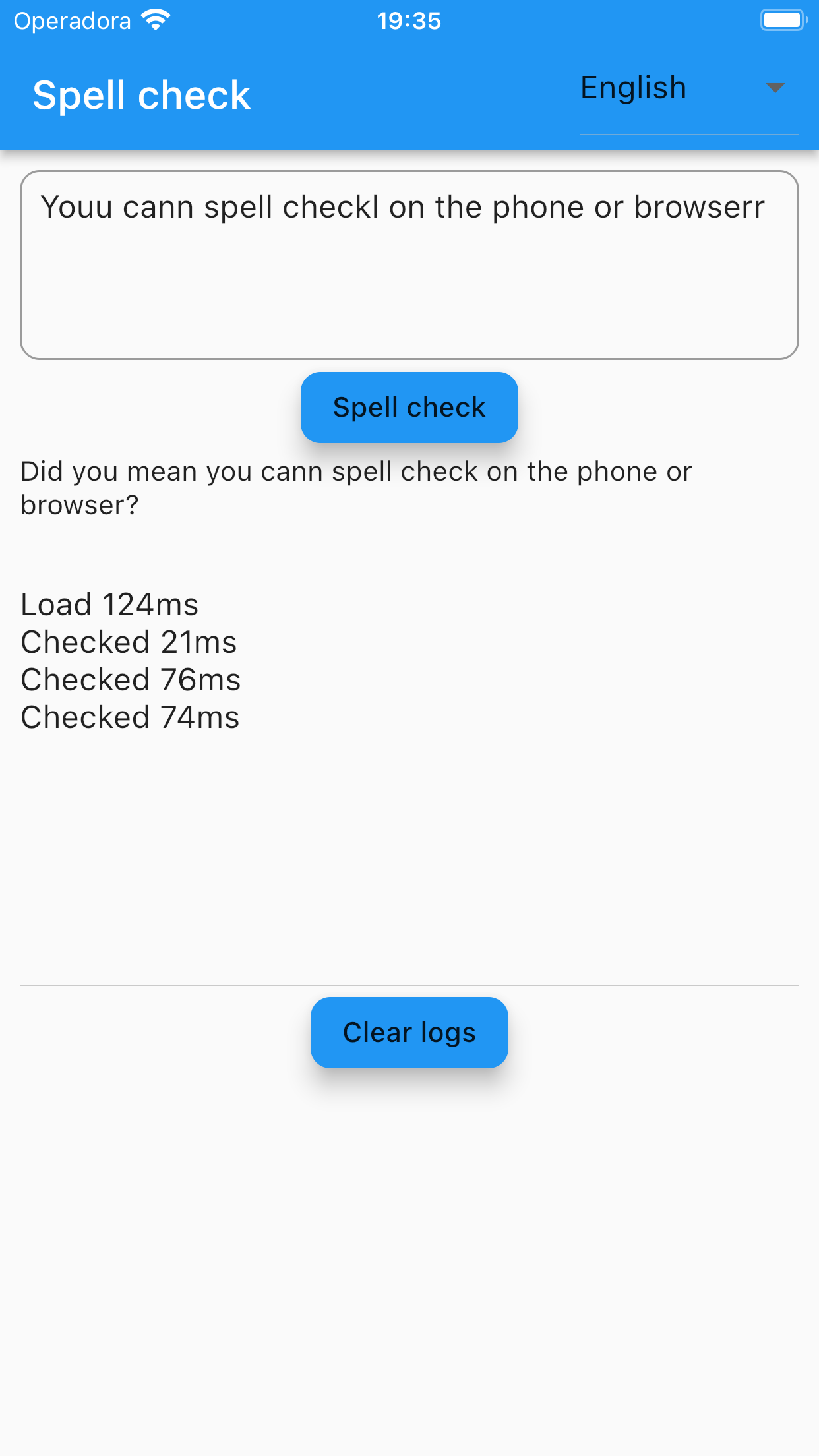
How this package works #
This package uses a hash-set comparison algorithm to deliver spell check that works fully offline on the client side.
Features #
- Tokenize a string with multiple words into single word tokens
- Let the programmer configure what are the words so it can work in a multi language way
- Find words in your text that are not in the dictionary
- apply operations to find what are the possible words similar enough that belong to the dictionary
- operations supported to find words: addition, deletion, swap, replace
Getting started #
In this video I show how to run the example app of this package:
https://www.youtube.com/watch?v=YbMR9CEbvCE
Add the dependency to your pubspec.yaml:
spell_check_on_client: ^1.0.0
If you are starting a new integration, prefer the latest stable major (^1.x) unless you have a compatibility reason to stay on 0.x.
If your project still resolves to 0.x, check:
pubspec.yamlconstraints (for example, a direct pin like0.0.9)pubspec.lockcommitted in apps- transitive constraints from internal packages in a mono-repo
Usage #
To use this package you will need to add a list of words as an asset inside your app.
Languages available in example/assets:
- German - de_words.txt
- English - en_words.txt
- Spanish - es_words.txt
- French - fr_words.txt
- Italian - it_words.txt
- Norwegian - no_words.txt
- Portuguese - pt_words.txt
- Swedish - sv_words.txt
- Arabic - ar_words.txt
- Japanese - ja_words.txt
- Chinese - zh_words.txt
You can find the file assets here:
https://github.com/ivofernandes/spell_check_on_client/tree/master/example/assets
Then initialize the spell checker in an async method:
void initSpellCheck() async {
  const language = 'en';
  final content = await rootBundle.loadString('assets/${language}_words.txt');
  spellCheck = SpellCheck.fromWordsContent(
    content,
    letters: LanguageLetters.getLanguageForLanguage(language),
  );
}
Then call didYouMean to receive a suggestion (or an empty string when every word exists):
final didYouMean = spellCheck.didYouMean(text);
If it looks to hard to use you can always start your app by forking this example app: https://github.com/ivofernandes/spell_check_on_client/blob/master/example/lib/main.dart
Like us on pub.dev #
Package url: https://pub.dev/packages/spell_check_on_client
Instruction to publish the package to pub.dev #
dart pub publish
Metadata
Documentation
Publisher
Weekly Downloads
Metadata
Spell check on flutter on client side, works for multiple languages
Homepage
Repository (GitHub)
View/report issues
License
 Apache-2.0 (license)

